
OurDays
两人日历 · Calendar for Two · 2.1 现已上架
两个人的日历,放在你们自己的 iCloud 里。 A calendar for two, kept in your own iCloud.
Download on theApp Store GitHub 源码iOS 18 或更高版本 · 需要 iCloud · 免费 · 开源 · 无内购
两人日历 · Calendar for Two · 2.1 现已上架
两个人的日历,放在你们自己的 iCloud 里。 A calendar for two, kept in your own iCloud.
Download on theApp Store GitHub 源码iOS 18 或更高版本 · 需要 iCloud · 免费 · 开源 · 无内购
A short film, under two minutes (Chinese narration with subtitles)
Built for two — not a group calendar
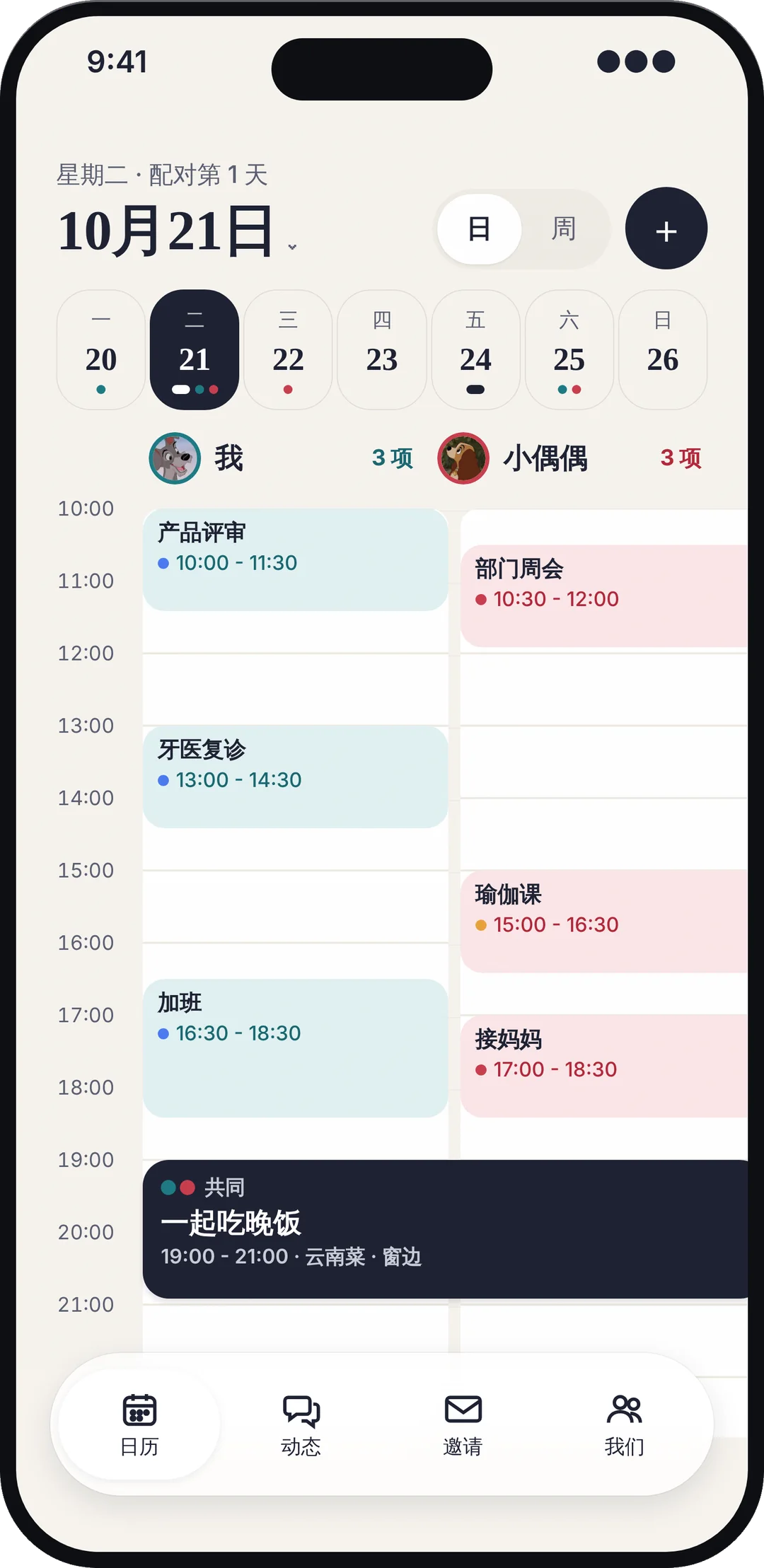
左栏是你,右栏是 TA,泳道头是各自的头像和当天的日程数。日 / 周一键切换,时间轴自动滚到现在。
Your lane on the left, theirs on the right, each headed by an avatar and the day's event count. Switch day / week with one tap.
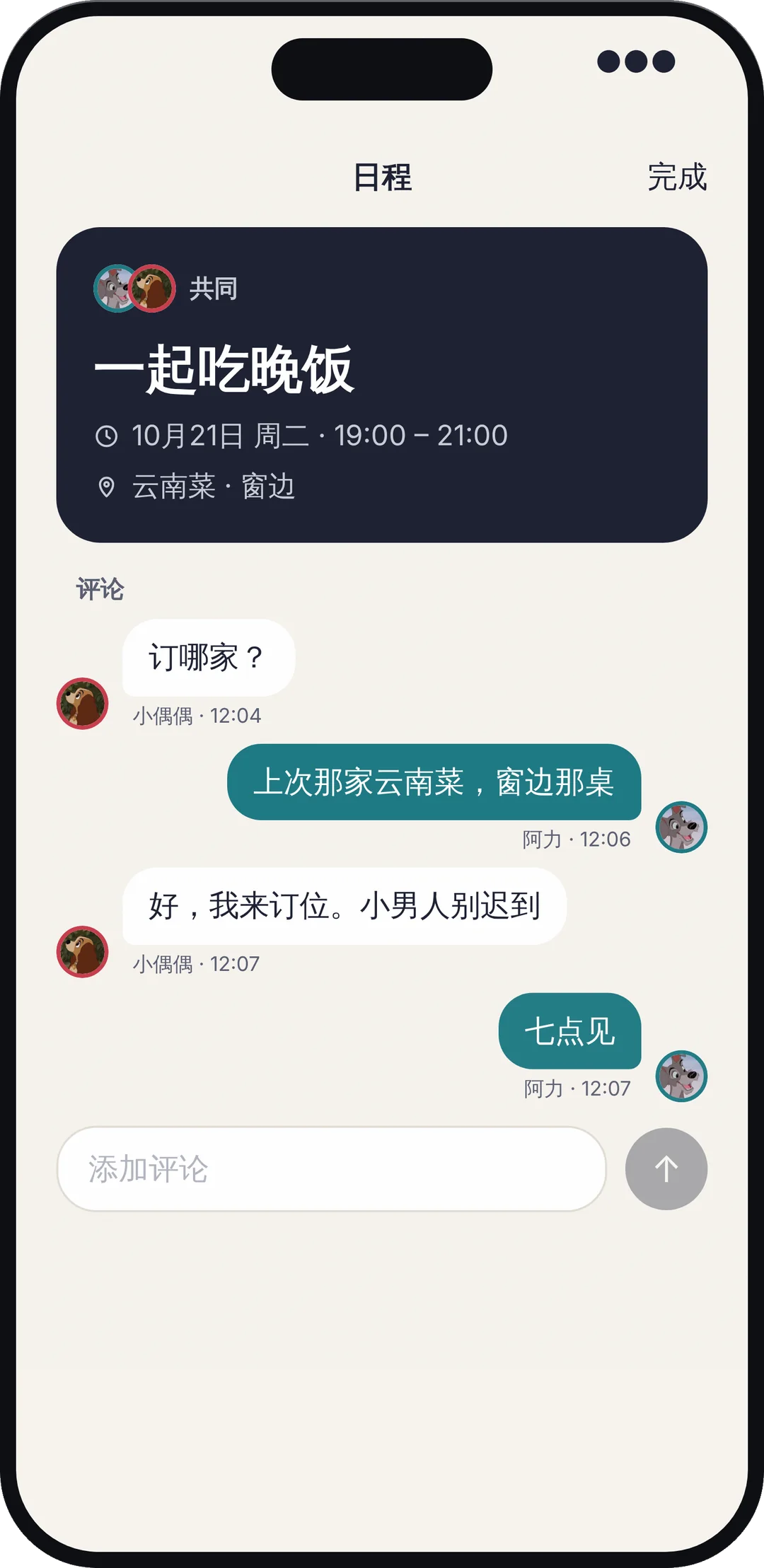
你们一起的安排用墨色块横跨左右两栏,和各自的日程一眼区分;详情页顶部并排显示两个人的头像。
Plans you share are drawn as one ink block across both lanes; the detail page shows both avatars side by side.
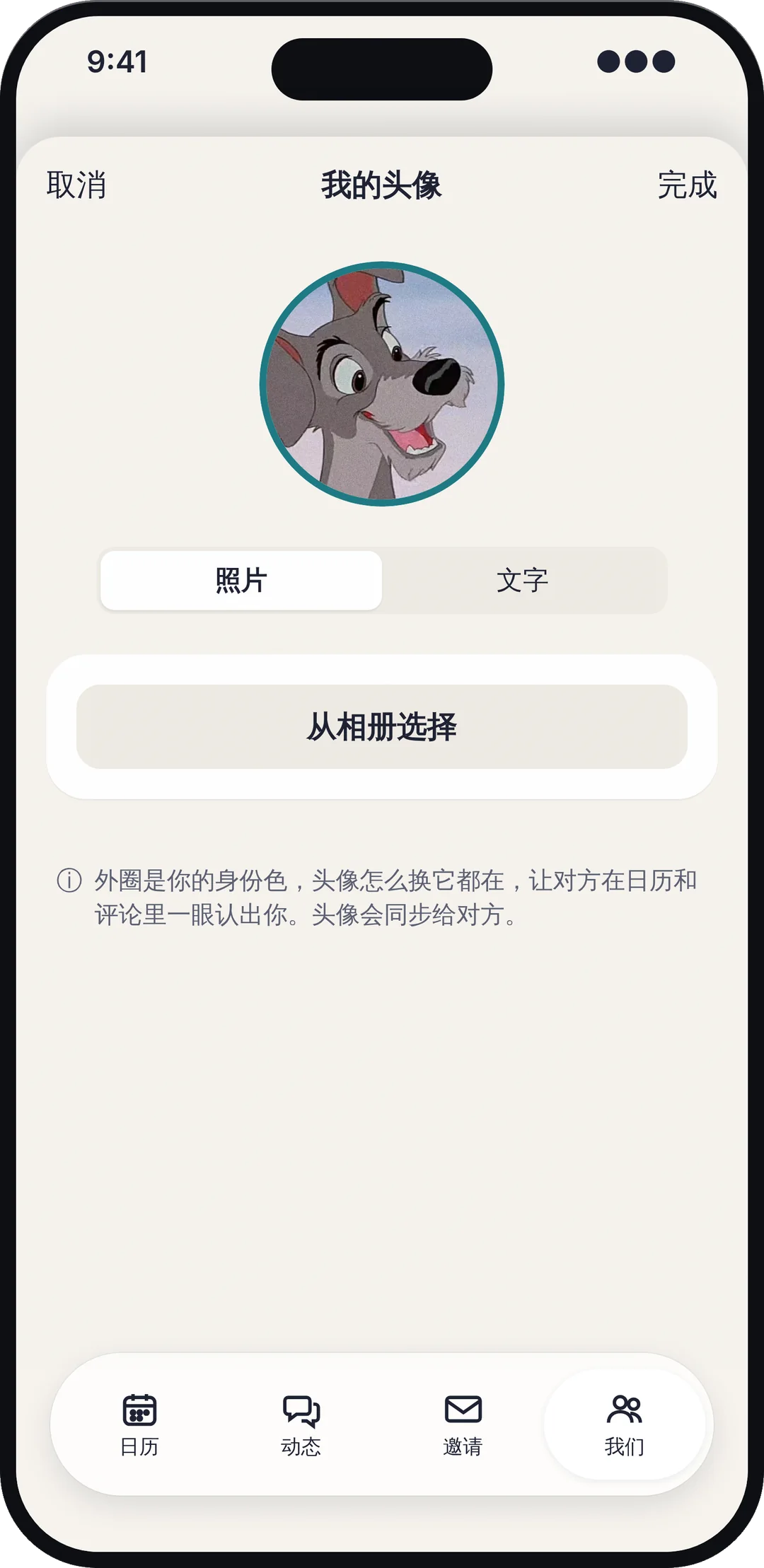
配对前先设好自己的昵称和头像(照片或文字,外圈是身份色);配对后对方的会自动同步过来。你还能给 TA 起一个只有你看得到的备注名。
Set your nickname and avatar before pairing; your partner's syncs over once paired. Add a private pet name only you can see.
在任意一条日程下留言,TA 的气泡在左、你的在右,各带头像。「动态」Tab 按事件聚合双方评论,未读数在角标。
Comment under any event — their bubbles on the left, yours on the right, each with an avatar. The Activity tab groups them by event.
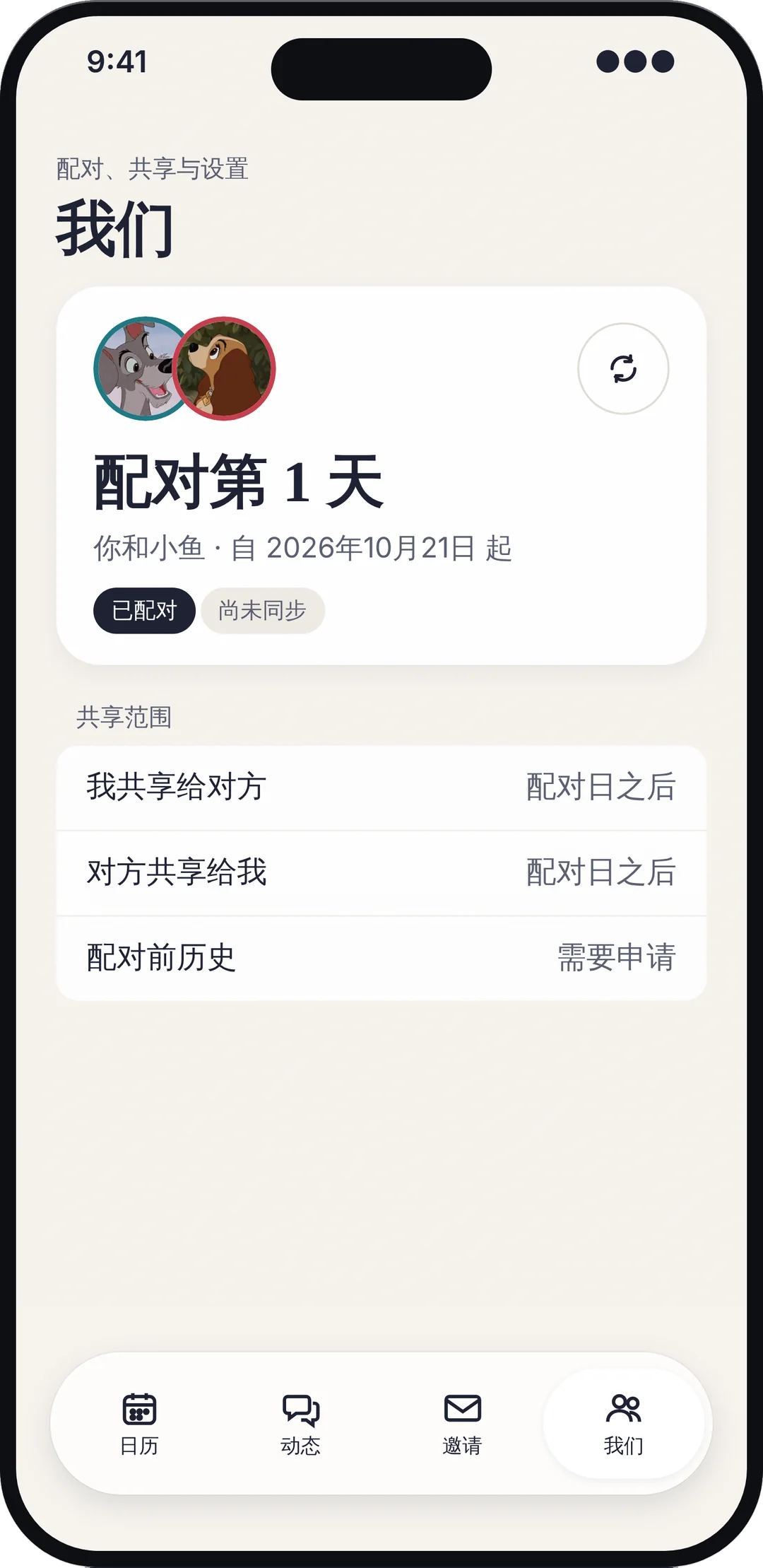
从配对那天起算第 1 天,显示在日历顶栏和「我们」页的配对卡上。每一天,都算数。
Counted from the day you paired, shown in the calendar header and on the pairing card. Every day counts.
一条 iCloud 共享链接完成配对。若有第三人经旧链接加入,App 会弹出「配对冲突」提醒让你决定,而不是悄悄替换。
Pair through one iCloud share link. If a third person joins via an old link, a “pairing conflict” alert lets you decide — never a silent swap.
你自己决定共享哪些本机日历,支持「完整详情 / 仅忙碌」;未选择的私人日程绝不外露。默认只共享配对日之后的日程。
You decide which local calendars to share, with “full details / busy only” visibility; unselected events are never exposed.
直接在 App 内向对方发起日程邀请,接受后自动写入对方的系统日历,状态双向同步。
Send a schedule invite in-app; on accept it's written into your partner's calendar, with status synced both ways.
数据保存在本机,并通过你和伴侣之间的 iCloud / CloudKit 私密共享同步。没有服务器,也没有账号。
Data stays on your device and syncs only through the private iCloud share between you two. No server, no account.
Three steps to a shared calendar
起一个昵称,选一张照片或两个字做头像。这时还不需要知道对方是谁。
Pick a nickname and an avatar. You don't need to know who your partner is yet.
一条 iCloud 共享链接,对方点开即配对;TA 的昵称和头像自动同步过来。
Send one iCloud share link; your partner taps it and you're paired. Their name and avatar sync over.
勾选要让对方看到的那几本系统日历,其余私人日程绝不外露。
Tick the system calendars your partner may see; everything else stays private.
A look inside
OurDays 完全开源,没有自建服务器,也没有账号体系:数据只在你和伴侣之间通过 Apple iCloud 私密同步。不含广告 SDK、第三方分析或跨应用追踪。它唯一的运行成本是每年的 Apple 开发者年费,所以可以一直免费、一直开着。
OurDays is fully open source, runs no server and has no accounts of its own: data syncs only through your own iCloud. No ad SDKs, analytics, or tracking. Its only running cost is the yearly Apple developer fee — which is why it can stay free, and stay up.
Start your shared calendar today
Download on theApp Store